Expanding Siri's access to AI agents via RailtracksSwift
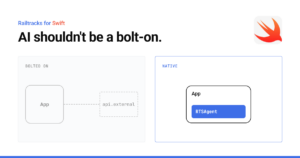
In a recent post, we argued that AI shouldn’t be a bolt-on: agents belong inside the native app, close to the user’s data and the device’s capabilities. That raises a follow-up question: if agents live inside the app, how does the rest of the system reach them?
On Apple platforms, the answer starts with Siri.
The answer doesn't exist until the Agent makes it
Travel Assistant and Pocket Manuals are two public apps built on Railtracks for Swift. Both answer questions about personal data with on-device agents. Travel Assistant answers “What is my day 3 plan?” from your saved trip. Pocket Manuals answers from your imported PDF manuals, with page citations.
That answer isn’t stored anywhere Siri can read. An agent in the app makes it on demand, with on-device search and an on-device model. So Siri has to call into the app, wait, and use what comes back. Our colleague Fabricio documented the whole investigation in How to Make Siri Answer From Your App on iOS and Mac. Here are the highlights.
iPhone and Mac took different paths
App Shortcut phrases worked by voice on iPhone right away. On the Mac they didn’t run at all, and Apple’s guidelines confirm it. We tried four more paths on the Mac, including Spotlight donations and indexed entities. None of them got a spoken Siri answer.
"App Shortcuts aren't supported in macOS."
- Apple
What worked on both platforms was Apple’s in-app search intent. Siri passes a search term from the request to the app, and the same agent that powers the in-app chat answers. One intent, the same agents, on both iPhone and Mac:
					@AppIntent(schema: .system.searchInApp)
struct SearchTripIntent: ShowInAppSearchResultsIntent {
    static let title: LocalizedStringResource = "Search My Trip”
          static let searchScopes: [StringSearchScope] = [.general]
    var criteria: StringSearchCriteria
    // Hands criteria.term to the Trip Assistant agent
    // and returns its answer.
}
Then Siri took the next step
The answer goes back to Siri as text, a spoken reply and a card with the sources the agent searched. Siri keeps it as context. In the same conversation, we asked Siri to put the day’s plan in the calendar, and it created the event with the right date and activities. The app has no Calendar code. The agent planned, and Siri acted on the result.
One limitation remains: the app has to open to answer. Apple’s new Siri AI Developer Preview, on the 27.3 betas, points to a more direct path. It lets an existing intent be marked as a tool that Siri can call.
Try it yourself
Both apps are public and use RailtracksSwift. Clone Travel Assistant or Pocket Manuals, run it on iOS 27 or macOS 27, and ask Siri to search the app for your question.
For the full story, including every path we tested on the Mac, the signing and app-name details Siri depends on, and what the 27.3 betas may change, read Fabricio’s How to Make Siri Answer From Your App on iOS and Mac on Medium.