Inside the Demo: Railtracks, Railengine and Conductr on Apple Platforms
Agents belong inside the app. This is what that looks like.
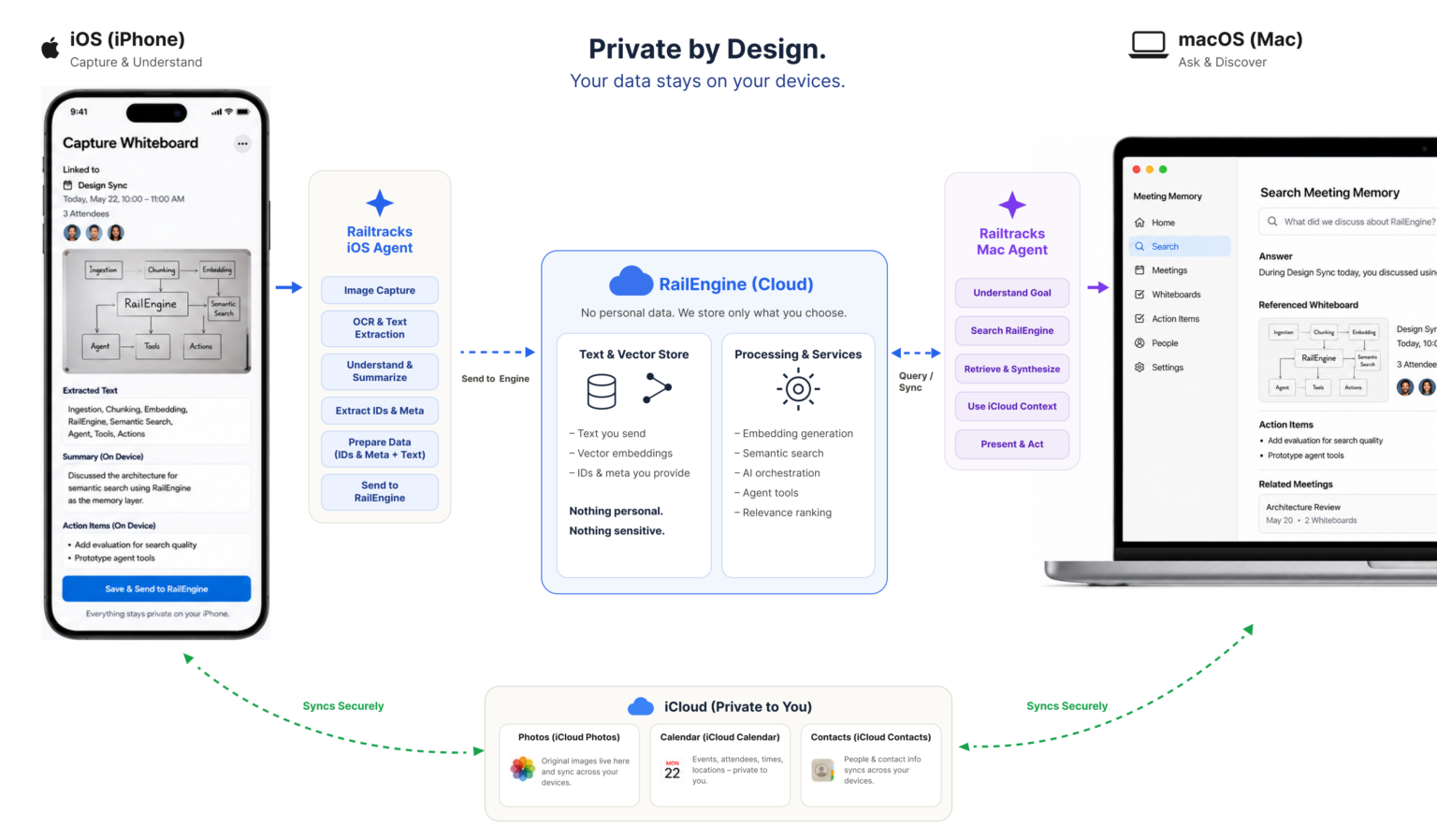
We built Meeting Memory as a reference app: a working example of an agentic app built natively for Apple’s ecosystem, end to end. It shows agents running on-device, calling Apple frameworks as tools, following the user from iPhone to Mac, and keeping personal data inside iCloud.
Snap a whiteboard photo on iPhone and an agent turns it into structured notes. Open your Mac and another agent answers questions across every session. Underneath, the full Railtown Swift stack is at work: Railtracks for Swift builds the agents, Railengine for Swift gives them memory, and Conductr shows every step in real time. Alongside it, the app leans on Apple’s own frameworks. Calendar ties each capture to a meeting, Contacts resolves attendees, Photos holds the whiteboard images, and iCloud syncs it all across the user’s devices.
This post walks through how it works, and what it unlocks for anyone building agents on Apple platforms.
Railtracks for Swift: Agents That Live in the App
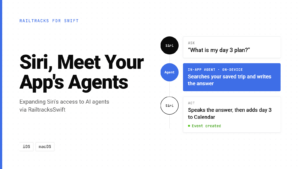
Railtracks for Swift builds agents, tools and workflows in native Swift, and ships them inside the app rather than behind a server. Meeting Memory runs two agents. A capture agent on iPhone and a query agent on Mac.
The key idea is that Apple frameworks become tools. Swift functions wrapping Photos, Calendar and Contacts are handed to the agent like any other tool, so it can read a whiteboard, link it to the right meeting and resolve who was there, all on-device. On the Mac, Railengine itself is registered as a tool, so the agent decides when to search memory and how to combine results with local context.
					import RailtracksSwift

// The agent is given the tool. The model decides when to call it.
struct PromptSearchAgent: RTSAgentNode {
    let agentName = "prompt_search_agent"
    let llmProvider: RTSLLMProvider = .gemini(modelIDString: RTSGeminiModelID.gemini3Flash.modelIDString)
    let tools: [any RTSToolNode] = [PhotoSearchTool()]
    // System prompt: "To answer the user's question you MUST use the
    // "Photo_Summary_Search" tool… Ground your answer ONLY in the results."
}

// The tool: name, description and parameter schema go to the model.
struct PhotoSearchTool: RTSToolNode {
    let toolName = "Photo_Summary_Search"
    var toolDescription: String {
        "Search for photos via photo summary in vector store. Returns a list of structured metadata of the photo."
    }
    var parameterSchema: RTSToolSchema {
        RTSToolSchema(parameters: [
            .init(name: "query", description: "The search query to look up in vector store", type: .string)
        ])
    }

    // Runs when the model calls the tool, e.g. Photo_Summary_Search(query: "Q3 roadmap action items")
    let callableRoutine = RTSClosure { inputs in
        guard case let .string(query) = inputs["query"] else {
            throw RTSError.missingInput("query")
        }
        let results = try await WBWhiteboardRecordStore().search(query: query)  // vector store lookup
        let json = try JSONEncoder().encode(results.map(LLMSearchResult.init))
        return ["results": .string(String(decoding: json, as: UTF8.self))]      // returned to the model
    }
}
Railengine for Swift: Memory Without Identity
Railengine gives agents durable, searchable context across devices, with ingestion and retrieval called straight from Swift. When Meeting Memory saves a session, Railengine:
- Can choose to mask PII at ingestion, before anything is stored.
- Generates embeddings so sessions are found by meaning, not keywords.
- Stores references, not content. Photo and calendar IDs point back to iCloud; images and attendees never reach the data layer.
- Ranks by similarity at query time, so the agent gets the most relevant sessions first.
Meeting Memory splits this across two Railengine instances: one for meeting insights, one for calendar and contact metadata. That keeps stable cross-device references to people without putting identity in the intelligence layer.
Conductr: Agents You Can Verify
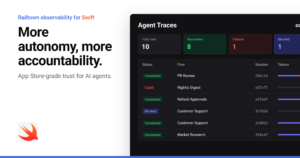
More autonomy needs more accountability. Conductr shows every Railengine ingestion as it happens, stage by stage. In the Meeting Memory demo, saving a session on iPhone lights up the pipeline in Conductr in real time.
Private by Design: What Lives Where
The same principle runs through the whole app: the context travels, the identity doesn’t.
| Data | Where it lives | What Railengine holds |
|---|---|---|
| Whiteboard photo | iCloud Photos, under the user’s Apple Account | Photo ID only |
| Meeting and attendees | Apple Calendar, synced via iCloud | Event ID only |
| Contacts | Apple Contacts, synced via iCloud | Reference ID only |
| Summary, action items, OCR text | Railengine | Redacted text and embeddings |
The agent gets full, useful context to reason over. Names, faces and attendee lists stay in the systems Apple users already trust, and rejoin the result only on their own device.
What This Unlocks
Meeting Memory is one scenario. The pattern behind it is what matters for anyone building agents on Apple platforms:
- Agents that use the device. Camera, Photos, Calendar and Contacts become tools the agent calls natively, not integrations bolted on.
- Continuity with privacy built in. Capture on iPhone, ask on Mac. Context follows the user; identity stays in their Apple Account.
- One language, end to end. Swift from capture to retrieval, with no Python backend to bridge, and every step visible in Conductr.
Build the agent with Railtracks, feed it context with Railengine, and observe it with Conductr.
Not sure where to start?
Reach out to Railtown here to learn how we can help you bring agents into your Apple apps. Check out the public repo here